Posts

SLOG Latency

Image
After reading Brendan's newest blog entry, I was curious about what kind of slog latency we can see for our data migration load. To remind you, only synchronous writes go into the slog SSD devices. As this is a migration running, we can see mostly NFS write operations: In our configuration the SSD slog is mirrored (HDD4 and HDD8). Hence the same number of IOPS: The next picture shows us the latency for our SDD SLOG Device HDD 4. We can see here that latencies start at 79 us and are mostly under 200 us. There are some outliers, but approx. 95% are under 500 us: This matches quite well with the values Brendan blogged about (137-181 us), which includes NFSv3 latency. For reference (no picture here), we can see latencies of about 170-500 us mostly for NFSv4. By the way. SLOG Devices are mostly one way devices, as shown here. Only if things go really bad, they are read from...

Resilvering progress...found!

Found the CLI menu for resilvering progress :-) file1:configuration storage (pool-1)> show Pools: POOL OWNER DATA PROFILE LOG PROFILE STATUS pool = pool-1 file1 mirror_nspf log_mirror_nspf degraded Properties: pool = pool-1 status = degraded owner = file1 profile = mirror_nspf log_profile = log_mirror cache_profile = cache_stripe scrub = resilver in progress for 4h46m, 83.85% done, 0h55m to go

High IOPS for 1TB Disks

Image
Wondering how 1TB disk can have such a high IOPS. HDD8 and HDD4 are Log-Devices (SSD) UPDATE: For the moment I assume, these are writes to the disk cache.

Being bored....

Image
...while doing 22536 NFS ops per second, and doing gzip-2 at the same time. HSP really works. NFS synchronous operations get "eaten" by the SSD devices (1133 IOPS).

Trekkie Stuff...

Image
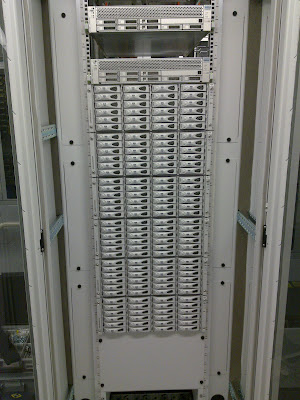
Enterprise Warp Core: Borg Cube: PS: We all know who won in the end ;-)

Opensolaris, Huawei E220, Swisscom and Sunrise

I was able to open a 3G connection to Swisscom and Sunrise using a Huawei E220 3G Modem under Opensolaris. Here are the config files (If PIN is enabled on the SIM, add OK "AT+CPIN=????" to the chat script) Swisscom: /etc/ppp/chat-swisscom: ABORT BUSY ABORT 'NO CARRIER' ABORT ERROR REPORT CONNECT TIMEOUT 120 "" "AT&F" OK "ATZ" OK "ATQ0 V1 E1 S0=0 &C1 &D2" #OK "AT+CPIN=????" OK 'AT+CGDCONT=1,"IP","gprs.swisscom.ch"' SAY "Calling Swisscom" OK "ATDT*99***1#" TIMEOUT 120 CONNECT '' /etc/ppp/peers/swisscom: term/1 115200 connect "/usr/bin/chat -V -t15 -f /etc/ppp/chat-swisscom" idle 7200 lock crtscts noipdefault modem user "gprs" password "gprs" noauth passive usepeerdns defaultroute connect-delay 6000 novj nodetach Sunrise: /etc/ppp/chat-sunrise: ABORT BUSY ABORT 'NO CARRIER' ABORT ERROR REPORT CONNECT TIMEOUT 120 ...

Connecting Opensolaris to a Cisco VPN

I finally got my Opensolaris box hooked up to a Cisco VPN: 1. Get the tun/tap driver from Kazuyoshi. This driver is used for creating a using between the client and the Cisco VPN router. 2. Compile and install the driver: pkg install sunstudioexpress export CC=/opt/SunStudioExpress/bin/cc ./configure make make install 3. Download the vpnc client. This program handels the vpn connection. I've used the version 0.5.1. 4. Get gmake pkg install SUNWgmake 5. Adjust installation paths (my personal preferences): Makefile: PREFIX=/opt/vpnc ETCDIR=/opt/vpnc/etc config.c (hardcoded locations): Line 250: return "/opt/vpnc/etc/ssl/certs"; Line 270: return "/opt/vpnc/etc/vpnc-script"; Line 275: return "/var/run/vpnc.pid"; Line 541: ... : /opt/vpnc/etc/", ... Line 760: ... "/opt/vpnc/etc/default.conf" ... Line 761: ... "/opt/vpnc/etc/vpnc.conf" ... gmake gmake install 6. Convert the pcf file into vpnc format using /opt/vpnc/pcf2vpnc . Stor...